
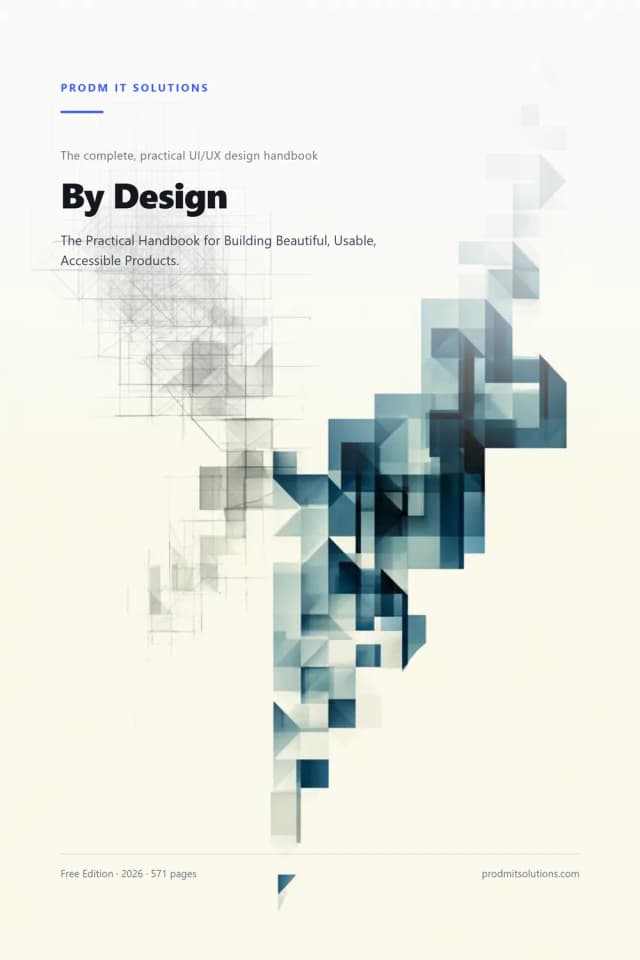
By Design: The Practical UI/UX Handbook
The Practical Handbook for Building Beautiful, Usable, Accessible Products.
- Frame design problems around real human needs and business goals
- Reason about attention, memory and cognitive load when you design
- Design interaction flows — including the empty, loading, error & success states everyone forgets
- Apply visual craft (type, space, colour, hierarchy, grids) with reasons, not vibes
Get the free book
Pop in your email and we’ll send the 571-page PDF straight to your inbox.
Most design advice is either airy theory or a pile of tips with no thread connecting them. This is the book we wish every designer, developer, and founder had — a complete, practical handbook that teaches the timeless principles of interface design from first principles, in plain English, with a worked example on every page.
Across 10 parts and 56 chapters it covers the whole craft: design thinking, how minds use interfaces, research, information architecture, interaction design, visual design, accessibility, responsive design, design systems, and the new frontier of AI and spatial interfaces. Every chapter has a bad-vs-better example, an original framework, accessibility and developer notes, a hands-on exercise, and a quiz. It’s entirely original work — and it’s free.
What’s inside
Part 1 — Design Thinking & HCD
- What design actually is (the CRAFT loop)
- Human-centered design
- Business goals vs user goals
- Framing the problem
Part 2 — How Minds Use Interfaces
- Mental models
- Cognitive load (the Three Tolls)
- Attention & perception
- Memory, decisions & behaviour
Part 3 — Research
- Lightweight research (PROOF)
- Interviews & usability testing
- Surveys & analytics
- Personas, JTBD & journey maps
Part 4 — Information Architecture
- Structuring information (PATHS)
- Navigation patterns
- Hierarchy, labels & search
- Content strategy & UX writing
Part 5 — Interaction Design
- Flows & feedback (FLOW)
- The four states everyone forgets
- Forms (EASE), buttons & tables
- Progressive disclosure & defaults
Part 6 — Visual Design
- Visual hierarchy (FOCUS)
- Typography & spacing (RHYTHM)
- Colour (HUE) & contrast
- Grids, composition, icons & motion
Part 7 — Accessibility
- The REACH standard
- Visual accessibility
- Keyboard, focus & screen readers
- Touch, situational & cognitive
Part 8 — Responsive & Multi-Device
- Mobile-first thinking (ADAPT)
- Breakpoints & fluid layout
- Tablet, desktop, large & foldables
- Adaptive & context-aware design
Part 9 — Design Systems
- Why systems exist (PILLARS)
- Design tokens & foundations
- Components & patterns
- Documentation, governance & scaling
Part 10 — Advanced & Future + Reference
- AI interfaces (TRUST), voice, AR/VR
- Wearables, automotive & IoT
- The principles that last
- Audit checklist, framework card, glossary & 30-day program
By the end, you’ll be able to
- Frame design problems around real human needs and business goals
- Reason about attention, memory and cognitive load when you design
- Design interaction flows — including the empty, loading, error & success states everyone forgets
- Apply visual craft (type, space, colour, hierarchy, grids) with reasons, not vibes
- Design accessibly to a clear, modern standard (WCAG 2.2 thinking, explained simply)
- Build and govern a design system that scales — and audit any interface with confidence
Who it’s for
- Beginners learning UI/UX design from scratch
- Designers levelling up toward senior
- Developers who want to design better products
- Product managers & founders who brief and judge design
- Anyone who builds, ships, or evaluates digital products
Plus a printable toolkit
The back of the book is 6 ready-to-use tools — built to print and fill in on a real decision today.
Get your free copy now
571 pages of honest, practical guidance — emailed straight to your inbox. No payment, no catch.
Email me the free bookFrequently Asked Questions
Who is this handbook for?+
Anyone who designs, builds, briefs, or judges digital products — beginners learning from scratch, designers levelling up, developers who want to design better, and product managers or founders. The main narrative suits beginners to intermediate, with deeper notes for seniors and developers.
Do I need design experience to follow it?+
No. It teaches every concept from first principles in plain English, showing a real example before naming the idea. If you’re experienced, the frameworks and the accessibility, systems, and developer notes still give you a shared language and reference.
Is the handbook really free?+
Yes — all 571 pages, completely free. We only ask for your email to send the PDF. No payment, no catch.
Does it teach a specific tool like Figma?+
No, and that’s deliberate. Tools change; principles last. The book is tool-agnostic — it teaches the thinking and craft you can apply in any design tool or codebase, so it stays useful for years.
Is it theory or is it practical?+
Practical above all. Every chapter has a bad-vs-better worked example, an original framework you can apply immediately, accessibility and developer notes, a hands-on exercise, and a quiz — plus a printable audit checklist and a 30-day practice program at the back.
How is it different from the other free books here?+
The other two are short, focused guides for business owners about hiring developers and fixing a website. This is a full handbook on the craft of UI/UX design itself — broader, deeper, and meant to be kept as a reference.